> ## Documentation Index
> Fetch the complete documentation index at: https://developers-partners.delivered.co.kr/llms.txt
> Use this file to discover all available pages before exploring further.
# 이해하기
> 코드 몇 줄로 해외 고객들에게 글로벌 결제 수단과 배송 옵션을 제공할 수 있어요
## 1. 글로벌링크란?
### 1-1. 서비스 소개
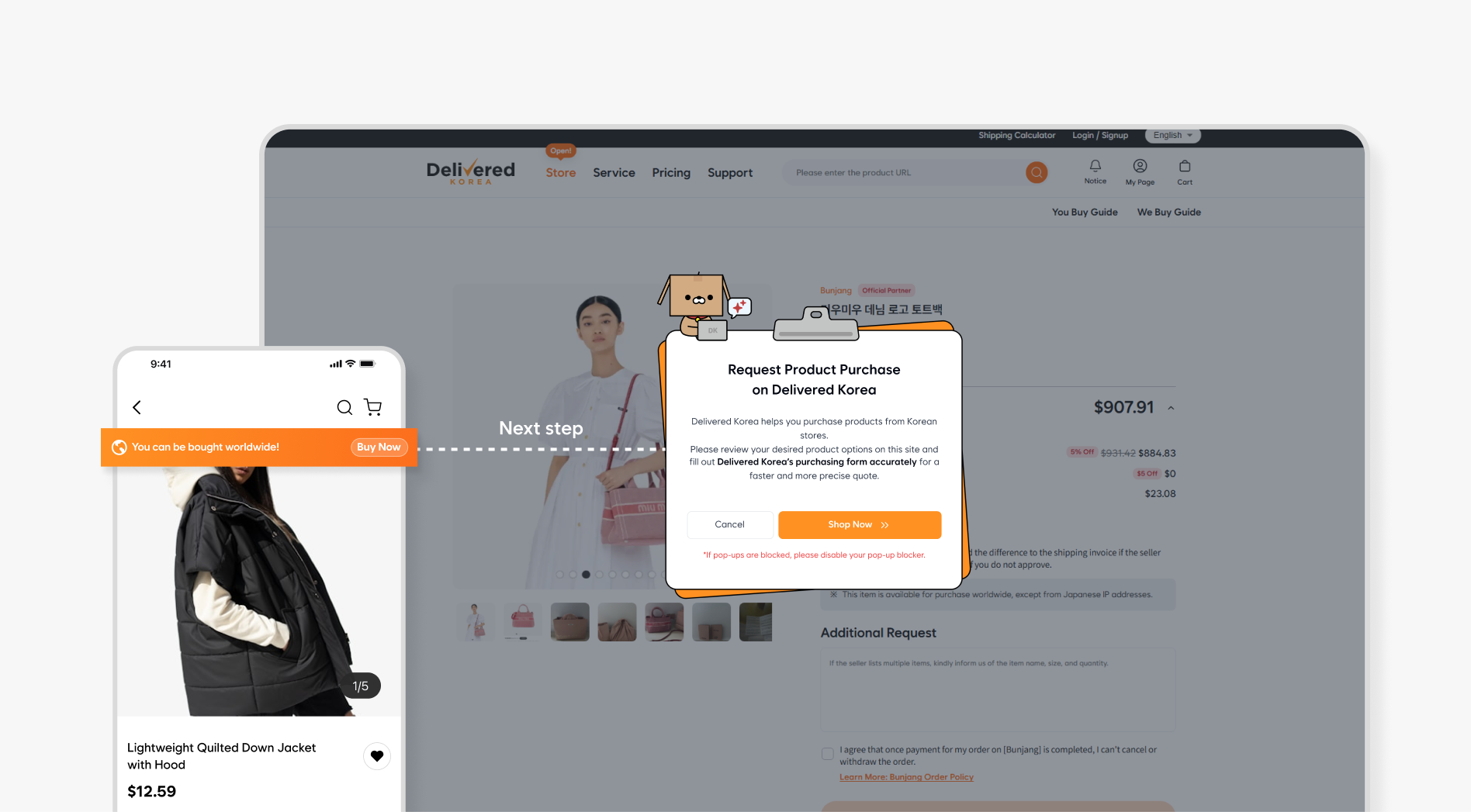
글로벌링크는 한국 쇼핑몰들이 해외 고객에게 더 쉽게 상품을 판매할 수 있도록 딜리버드 파트너스가 제공하는 **상품리스팅, 주문 및 배송 통합 솔루션**입니다.
글로벌링크를 사용하면 해외 고객들이 딜리버드코리아 플랫폼에서 한국 상품을 손쉽게 구매하고 다양한 배송 및 결제 옵션을 통해 상품을 받아볼 수 있습니다.
 ### 1-2. 도입 방식
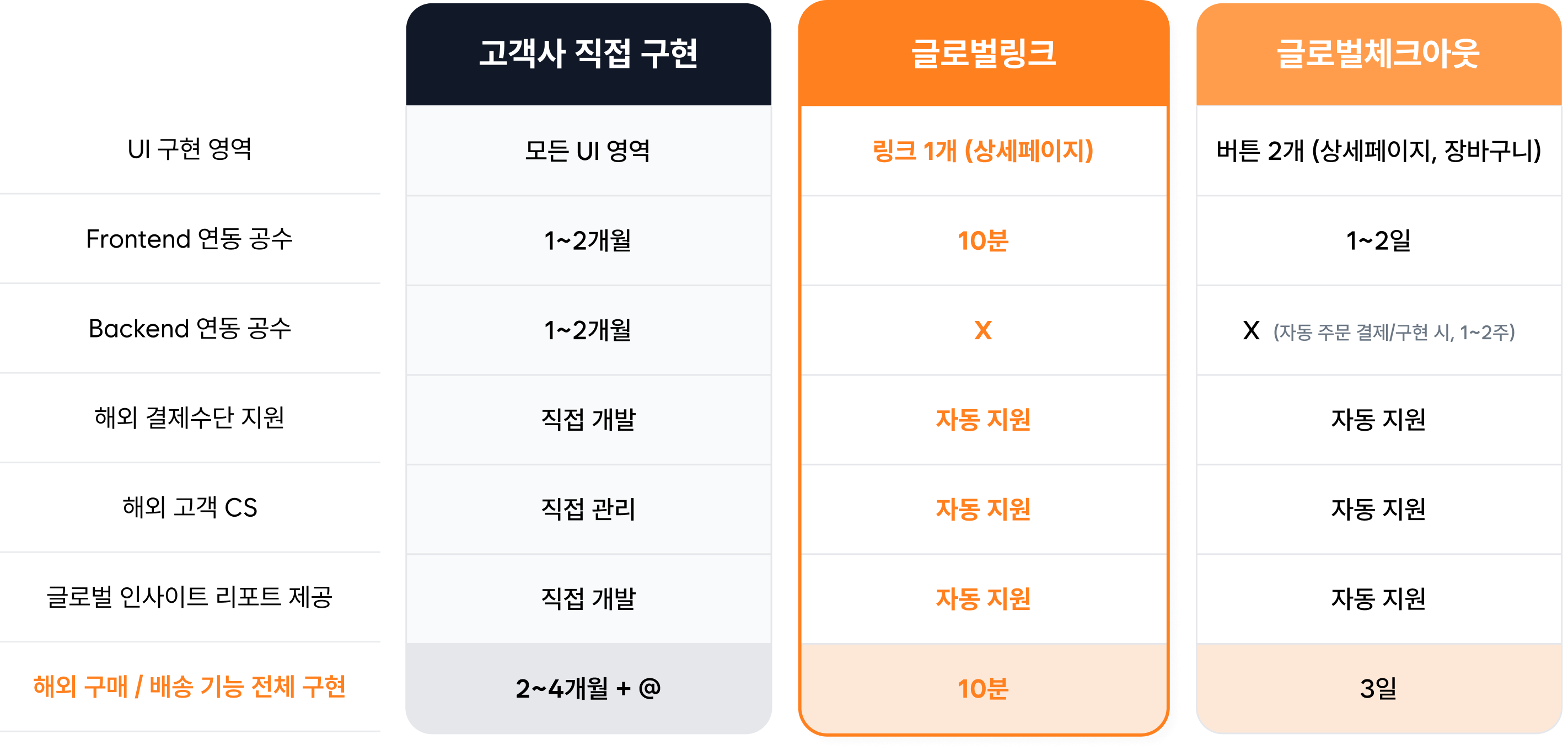
운영 중인 자사몰의 상품 상세 페이지에 글로벌링크를 설치하는 방식입니다. 간단한 방식으로 해외 주문, 해외 배송 기능을 빠르게 도입할 수 있습니다.
### 1-2. 도입 방식
운영 중인 자사몰의 상품 상세 페이지에 글로벌링크를 설치하는 방식입니다. 간단한 방식으로 해외 주문, 해외 배송 기능을 빠르게 도입할 수 있습니다.
 ***
## 2. 서비스 이용 방법
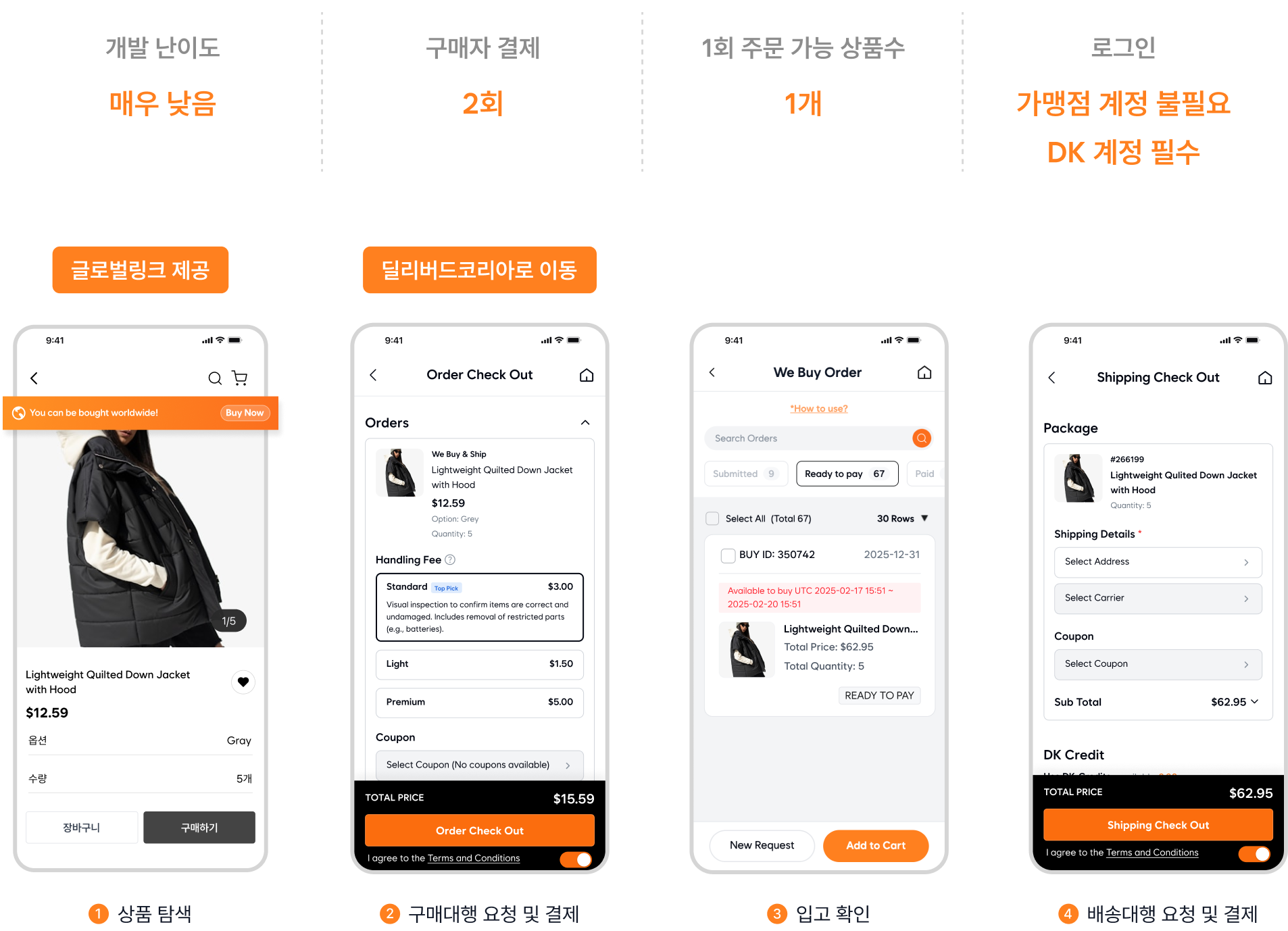
가맹점의 상품 페이지에 글로벌링크를 클릭하여 해외 고객들이 딜리버드 코리아를 통해 상품을 쉽게 구매할 수 있습니다. 해외 고객은 별도 가맹점 회원가입 또는 로그인을 해야하는 불편없이, 딜리버드 코리아 계정으로 주문과 결제를 진행할 수 있습니다.
***
## 2. 서비스 이용 방법
가맹점의 상품 페이지에 글로벌링크를 클릭하여 해외 고객들이 딜리버드 코리아를 통해 상품을 쉽게 구매할 수 있습니다. 해외 고객은 별도 가맹점 회원가입 또는 로그인을 해야하는 불편없이, 딜리버드 코리아 계정으로 주문과 결제를 진행할 수 있습니다.
 ***
## 3. 시작하기
기존 페이지에 글로벌링크를 추가하여 해외 고객들이 상품을 쉽게 구매할 수 있도록 하는 방식입니다.
웹사이트에 결제와 배송 기능을 직접 통합하여 고객이 사이트를 벗어나지 않고 구매할 수 있도록 하는 방식입니다.
***
## 3. 시작하기
기존 페이지에 글로벌링크를 추가하여 해외 고객들이 상품을 쉽게 구매할 수 있도록 하는 방식입니다.
웹사이트에 결제와 배송 기능을 직접 통합하여 고객이 사이트를 벗어나지 않고 구매할 수 있도록 하는 방식입니다.